
Do’s and Don’ts of Using Photoshop as an Artist
Sometimes digital tools feel like a friend who’s way too enthusiastic, they want to help, but they can also overwhelm you. Photoshop, Procreate, and other digital platforms offer hundreds of brushes, effects, and filters. It’s exciting, but also a little intimidating. Where do you even start?
The key is to treat these tools like your creative sidekick, not the star of the show. They amplify what you already do well, they don’t replace your vision. I’ve seen artists completely transform a sketch with digital layering, and it looked effortless. But behind that ease was a clear understanding of what they wanted to communicate before opening the software.
Think of digital tools as a conversation partner. You might start with a rough sketch, and the software responds with options, suggestions, and shortcuts. Your job is to listen, experiment, and then decide which ideas truly enhance your work.
A simple exercise is to pick one or two tools and explore them fully. Forget the rest for now. Play with textures, layer blending, and masking. You’ll find that depth often comes from mastery of a few options rather than spreading yourself thin across dozens.
And don’t be afraid to make mistakes. Every smudge, misclick, or unexpected filter can become an opportunity to explore a new technique. The trick is noticing when a happy accident actually improves your piece.
Ultimately, your relationship with digital tools should feel like teamwork. When you understand their strengths and limitations, they become an extension of your creativity rather than a confusing obstacle.
When Editing Starts Feeling Like Teamwork
Here’s a question: when does tweaking a piece in Photoshop stop being “editing” and start feeling like someone, or something, else is co-creating? It’s a subtle shift, but it’s important to recognize.
Sometimes, heavy reliance on presets, AI suggestions, or automatic filters can make your work feel less like your own. That’s not a bad thing if the intention is playful experimentation, but if your goal is authentic expression, you need to stay mindful.
You lead, the software follows, or sometimes suggests a step, and you decide whether to take it or ignore it. Over time, you develop a rhythm that balances assistance and authorship.
One strategy is to set boundaries. Decide early in a project which aspects you control entirely and which you’re willing to let the tools experiment with. You’ll be surprised how liberating this approach feels.
Another tip is to reflect after finishing a piece. Ask yourself: “Which parts truly reflect me?” and “Which parts were influenced by the software?” This awareness builds your confidence and keeps your voice distinct.
Collaboration doesn’t always have to be human. Your tools can contribute ideas, textures, and effects, but you’re still the one shaping the story. Recognizing this balance is what separates enhancement from overreliance.
The Danger Zone: When Edits Go Too Far
It’s easy to get carried away in the digital world. You add one layer, tweak the color, apply a filter, then… five more adjustments later, the piece barely resembles your original concept. Sound familiar?
This is why understanding the difference between assistance and over-editing is crucial. Assistance helps your vision shine; over-editing dilutes it. One rule I swear by is: if you can’t explain why a change enhances your story, maybe it’s unnecessary.
For example, I once saw an artist brighten every single element of a digital landscape. Technically it looked polished, but the subtle contrasts that gave the piece mood were gone. A few thoughtful tweaks would have preserved the atmosphere while still improving clarity.
A good habit is to work in layers and snapshots. Save versions along the way. That way, if you start feeling lost, you can compare and see which edits genuinely improve the piece versus which ones just distract.
Also, get feedback. Sometimes another set of eyes helps you distinguish between constructive changes and overkill. Don’t be afraid to ask someone who understands your style for a gentle critique, it’s surprisingly grounding.
Ultimately, the goal is to let digital tools serve your creativity, not take it over. They should empower your choices, not replace them.
Drawing the Line: Setting Healthy Boundaries With Your Software
Boundaries might sound like a serious word for something as fun as art, but trust me, they’re essential. Digital tools are powerful, and without limits, they can pull you into endless experimentation that drains rather than inspires.
Start by defining your toolkit. Choose your favorite brushes, color palettes, or effects and stick with them for a project. This forces intentionality. When you limit options, creativity actually expands because you’re solving problems within constraints.
Another boundary to consider is time. Set a timer for editing or exploring techniques. It’s easy to spend hours fiddling with tiny details that no one will even notice. Structure creates freedom, you’ll get more meaningful results faster.
And don’t forget mental boundaries. Pay attention to frustration, fatigue, or indecision. These are signs your tools are dominating instead of assisting. Step away, stretch, or do a quick analog sketch. A fresh perspective often reveals solutions that endless clicks cannot.
Boundaries aren’t rules, they’re frameworks that let you collaborate with your tools without losing yourself. They help keep your creative voice at the center.
Learning From Mistakes and Happy Accidents
Digital art has a secret weapon: happy accidents. That smudge, unexpected overlay, or glitch effect that looks like a mistake? Sometimes it becomes the centerpiece of a piece.
I once spent an hour trying to fix a misaligned layer in Photoshop. Frustrated, I decided to leave it. Later, it became the most striking element of the composition, adding tension and movement I hadn’t planned. Those moments teach you to trust serendipity.
Keep a habit of saving iterations and screenshots. That way, you can go back and study what worked, sometimes an “oops” becomes a repeatable technique. Documenting these moments also gives you insight into your evolving style.
However, don’t rely solely on accidents. Use them as inspiration, not crutches. The goal is to notice potential in mistakes while maintaining your intent. That’s the sweet spot where digital editing becomes co-creation rather than chaos.
Finally, share your process occasionally. Showing others how a piece evolved, including the “happy accidents,” makes your art relatable and authentic. People love to see the human element behind polished digital work.
Keeping Your Vision in the Driver’s Seat
No matter how powerful your tools are, your vision is what matters most. Before diving into software, ask yourself: what story am I telling? What emotion or idea do I want to convey? This clarity keeps digital possibilities from becoming distractions.
One method is sketching rough drafts offline before digital work. Even a simple pencil sketch helps anchor your composition. Then, when you digitize, the tools enhance rather than dictate the outcome.
Set goals for each session. Are you experimenting with color, refining composition, or trying a new effect? Focused intentions prevent overwhelm and make your work feel purposeful.
Also, keep a reference folder. Collect images, textures, or inspirations that align with your vision. Having this visual guide helps you make choices confidently in the software, instead of wandering through endless menus and brushes.
And finally, check in with yourself regularly. Step back and ask: “Does this feel like me?” Your tools are assistants, collaborators, and enhancers, but your voice is non-negotiable. Keeping it front and center ensures your digital creations truly reflect your artistry.
Layers Don’t Bite: How to Make Them Work for You
Layers are one of the most powerful features in digital art, but they can also be intimidating. The trick is to see them as a visual journal, a way to experiment without destroying your original idea. Each layer is a playground for color, texture, or effect, you can try something bold, and if it doesn’t work, simply hide it.
I often tell artists to treat layers like friends. Some contribute ideas, some stay in the background, but all of them support the main vision. Group layers, label them clearly, and experiment freely. Over time, you’ll develop a workflow that feels natural.
Layers also give you flexibility when combining multiple techniques. Want to try a new brush or blending mode? Put it on its own layer. If it flops, no harm done. If it works, you can refine it. The possibilities are endless, and less stressful, when you use layers thoughtfully.
Remember, layering is not just technical, it’s strategic. A well-organized layer system lets you focus on creative decisions instead of hunting for misplaced edits. It’s a small step that makes your entire workflow smoother.
Color and Texture: Your Secret Storytelling Duo
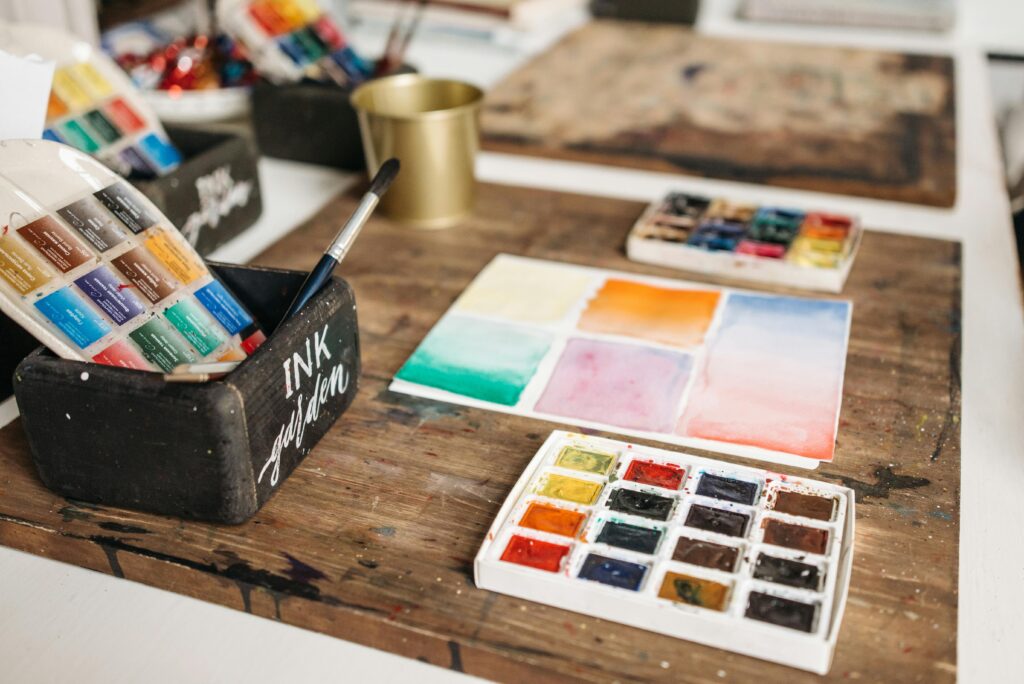
Digital tools give you almost unlimited options for color and texture, but that can be overwhelming. The key is to use these tools intentionally, like a director guiding an audience through a story.
For example, a subtle gradient can lead the eye across a composition, while bold contrasting colors can create focal points. Textures, whether hand-drawn or digital, add depth and tactile interest. When combined thoughtfully, these choices can make your digital work feel dynamic, immersive, and intentional.
Try experimenting with textures on separate layers. Overlay a paper texture or a brushstroke effect and see how it transforms the mood. You might even combine textures from different sources to create something uniquely yours.
Another tip is to step back frequently. What looks exciting zoomed in can feel overwhelming when viewed as a whole. Adjust saturation, contrast, and opacity until your vision reads clearly to the viewer.
By using color and texture as tools rather than distractions, you maintain your narrative while still benefiting from digital flexibility. It’s like giving your viewers subtle cues to understand and feel your work.
AI in the Studio: Partner, Not Puppet Master
AI has entered the art world in a huge way, offering everything from style suggestions to full composition ideas. But here’s the big question: when does AI enhance your creativity, and when does it start taking over?
Treat AI as a brainstorming partner. Input your ideas, see the suggestions, then refine them. The goal is to let it inspire, not replace your intent. You can try variations, color adjustments, or texture overlays, but always keep your signature choices intact.
I recommend setting limits. Decide which aspects of a piece are open to AI experimentation and which are off-limits. This keeps your voice clear and prevents the tool from steering the work too far from your original vision.
Also, document your process. Knowing which elements came from AI and which came from you is important for reflection and growth. Over time, you’ll notice patterns in how AI suggestions enhance your style versus distract from it.
Finally, embrace the fun side of AI. Unexpected outputs can spark ideas you might never have considered. The key is to curate, edit, and integrate intelligently.
Save, Export, Backup: The Boring Stuff That Saves Your Sanity
All the creativity in the world doesn’t matter if your files are lost, corrupted, or impossible to share. Digital artists need a reliable system for saving, exporting, and archiving.
Start by saving incrementally. Name files clearly with version numbers or dates so you can track progress. Use multiple formats when exporting: a high-res version for print, a compressed version for web, and a layered PSD or working file for future edits.
Backups are your safety net. External drives, cloud storage, or both, choose what fits your workflow. Losing months of work to a crashed computer is avoidable with a simple system in place.
Also, consider documenting your process visually. Screenshots, video timelapses, or annotated files can be helpful for your portfolio, tutorials, or even personal reflection. This adds value to your work beyond the final piece itself.
When exporting, pay attention to color profiles, resolution, and dimensions. A beautiful digital painting can look dull or blurry if exported incorrectly. Taking a little time here ensures your work translates perfectly to whatever platform or medium you’re sharing it on.
How do you share Digital Work Without Losing Your Voice
Sharing your work online is a delicate balance. Digital platforms are powerful, but oversharing or heavy editing for trends can dilute your authentic style. The goal is to let your work reach the right people while keeping it true to you.
Consider your audience and the platform. Instagram, online galleries, or professional portfolios all require slightly different approaches. Tailor your presentation without changing the essence of the work. For example, a detailed process shot may engage fellow artists, while a clean final piece works best for collectors.
Also, write short, personal captions or stories alongside your work. Let viewers peek behind the curtain without giving away all your tricks. This keeps the relationship between artist and audience genuine.
Finally, monitor how you feel after sharing. If posting starts to feel stressful or like you’re chasing trends, step back. Your digital tools are meant to support your art, not dictate how or when you show it.
Treating Tools as Teammates, Not Bosses
Here’s the bottom line: digital tools are incredible allies when used consciously. They offer new textures, faster workflows, and even surprising co-creation opportunities, but they cannot replace your vision, intuition, or style.
Approach them like teammates. Set boundaries, experiment, embrace happy accidents, and always keep your creative intent in focus. Over time, you’ll find a rhythm that feels natural, productive, and fun.
Remember, technology is not a shortcut to creativity. It amplifies what’s already there, gives you new ways to explore ideas, and helps you communicate your artistic voice more clearly.
If you walk away with one idea from this article, let it be this: mastery of digital tools comes not from using everything, but from using the right things in ways that support your art.